
Best Price Tracker Extensions Compared (2026)
The best price tracker extensions of 2026 compared: Keepa, The Camelizer, Honey, Distill and Visualping vs AlarmBot on stores, rules and alerts.
Keepa's Chrome Web Store listing names the one store it works on: "Keepa - Amazon Price Tracker". That is the pattern behind most of the best price tracker extensions people install in 2026 — the biggest names are tied to one store, built around a coupon business, or designed to spot page changes rather than prices. This comparison puts six extensions side by side on what actually decides whether a good price reaches you in time: which stores they cover, what they can watch, which alert rules and channels they offer, and how reliably they read the price. By the end you'll know which tracker covers every store you buy from, and what to check before you install any of them.
The short answer: AlarmBot is the best price tracker extension for anyone who shops beyond Amazon. It works on any website, lets you click the exact price, stock badge or text you want watched, alerts on target prices and percentage moves, and delivers through browser push, email, Telegram or Discord — on a free plan with 20 tracks and no credit card. Keepa and The Camelizer stop at Amazon, Honey's price tracking "is not available on every site", and the page monitors Distill and Visualping cap free cloud checks per month and keep some alert channels for paid plans.
How This Comparison Works
Every tool below was judged on the same six questions, so you can apply them to any extension you come across:
- Store coverage. Does it work on the shops you actually buy from, or on one marketplace and a fixed list?
- What it can watch. Only a price it recognises on its own, or any element you point at — a stock badge, a shipping line, a size that keeps selling out?
- Alert rules. Can you say when you want to hear about a change — below a target, after a percentage drop, when an item is back — or does every change ping you?
- Alert channels. Do alerts arrive where you already are: browser, email, Telegram, Discord?
- The free plan. What do you get before anyone asks for a card, and is the free tier metered in checks per month?
- The right number, reliably. Does it read the price you would pay, and what happens when the shop redesigns its page?
Every competitor fact comes from that tool's own Chrome Web Store listing, pricing page, homepage or help centre, checked on 25 October 2026 and linked where it appears. Every AlarmBot fact describes how the product works today. There are no invented scores here — only what each vendor says about its own product, next to what AlarmBot does.
AlarmBot: One Price Tracker for Every Store
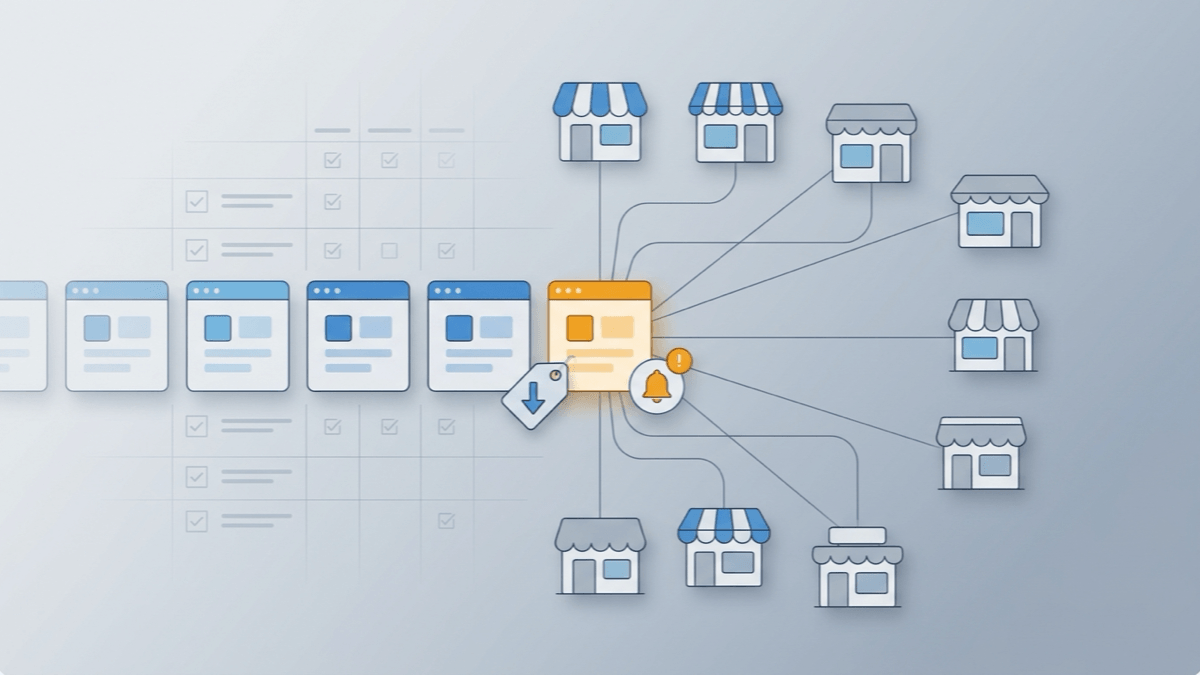
AlarmBot is a Chrome extension with a web dashboard at alarmbot.app, and it starts from a different design decision than the trackers below: instead of plugging into one marketplace's catalog, it reads the product page the way you do. Open any product page, and AlarmBot finds the price for you — or you click the exact element you want watched. From then on it checks that spot on a schedule and tells you when it changes in a way you care about.
What that design gives you:
- Any store, any country, any currency. A brand's own shop, a regional marketplace, a local retailer and Amazon all work the same way. The price is kept exactly as the shop shows it, currency symbol included, so a target set in euros stays in euros.
- Any element, not only prices. The same click that picks a price can pick a stock label, a delivery estimate or any other text on the page. That is how back-in-stock alerts work: watch the availability line and get told when it says "in stock" again.
- Rules built for prices. Alert on any increase, any decrease, a price lower than your target, higher than a threshold, a percentage drop or a percentage rise. For text, alert when it contains, stops containing, equals or stops equalling the words you choose.
- Alerts where you already are. Browser push, email, Telegram, a Discord server channel or a Discord DM — every channel is available on the free plan. The Telegram and Discord price alerts guide shows how to connect them.
- Your tracks follow your account. Tracks, rules, lists and history live on your account, so your work computer and your home computer show the same watchlist. When both are open, they share the checking instead of doubling it.
- Runs in your own browser. AlarmBot checks a page by opening it in a quiet background tab of your own Chrome — the same browser you shop in — so it reads the page the way it loads for you.
- A real free plan. 20 tracked products, 10 lists, a check as often as every 20 minutes and 90 days of price history, with no credit card. Twenty minutes is fast enough to catch a deal and paced to keep shops from blocking you.
Amazon-Only Trackers: Keepa and The Camelizer
The two best-known price trackers share one boundary: Amazon. Outside it they have nothing to show you, by design.
Keepa
Keepa's Chrome Web Store listing(opens in a new tab) is explicit about its reach: "Compatible with Amazon domains: .com, .co.uk, .de, .co.jp, .fr, .ca, .it, .es, .in, .mx." Its price watches notify you "when a product drops below your target price or returns to stock" — on those Amazon storefronts. The brand shop selling the same product cheaper, the electronics retailer in your country, the marketplace that isn't Amazon: none of them exist for Keepa.
Two details matter if you want more than a drop alert. Price-increase alerts are part of Keepa Pro(opens in a new tab), at €29 a month, bundled with research tools like "Product Finder" and "Seller Lookup" — a plan built for people who study Amazon's catalog, not for someone watching a wishlist. And Discord isn't among the alert options Keepa's homepage(opens in a new tab) lists. In AlarmBot, a rule for a price rise and a Discord alert are both part of the free plan.
The Camelizer
The Camelizer is the browser extension of camelcamelcamel. Its own page(opens in a new tab) says it "Works in many Amazon countries: United States, Canada, United Kingdom, Germany, Spain, France, Italy, and Australia." Its Chrome Web Store listing(opens in a new tab) describes the alert in one line: "setup watches and get an email when the price drops". One store, one direction, one channel.
The same listing shows the extension was last updated on June 7, 2024. If your shopping happens anywhere other than those eight Amazon storefronts, the gap is permanent — one Hacker News commenter put the wish plainly, asking for "a price tracker for walmart like there is for amazon"(opens in a new tab). Our CamelCamelCamel alternative breakdown goes deeper on where Amazon-catalog trackers end and why.
You don't need a separate tracker for Amazon. AlarmBot reads Amazon product pages the same way it reads every other store, so your Amazon items and everything else sit in one list, with one set of rules and alert channels.
Coupon Extensions That Track Prices: Honey
Honey is known for coupons, and price tracking is a side feature called Droplist. Honey's help centre(opens in a new tab) sets its limits in its own words: "Droplist is not available on every site." When a price does drop, the article says: "We'll automatically send you an email if we detect that a store drops the price." Email is the channel; there is no Telegram or Discord option described, and Droplist watches prices only — no stock badge, no shipping line, nothing you pick yourself.
AlarmBot is built for the price itself: it reads a price and tells you when it moves. What you do next, and where you buy, is up to you.
Page Monitors: Distill and Visualping
Distill and Visualping come from a different world: website change detection. Their own listing titles say so — "Distill Web Monitor" and "Visualping: Website change detection, monitoring and alerts". A page monitor's job is to tell you that something on a page changed. A price tracker's job is to tell you that the price is now worth paying. AlarmBot is built for the second job: its rules read the price as a number, so "tell me when it's under 80" or "tell me when it drops 15%" is a rule you set in one step.
The free plans show where these tools draw their lines.
Visualping. Visualping's pricing page(opens in a new tab) puts it plainly: "The free plan covers 5 pages with 150 checks a month," and "Sixty minutes is the shortest check interval you can select." Spread 150 checks across five pages and you get roughly one check per page per day. SMS alerts "start on the Personal 5K plan", Slack and Microsoft Teams are Business features, and Discord is not listed on the page at all. Paid plans start with Personal 1K at $14 a month.
Distill. Distill's pricing page(opens in a new tab) lists the free plan's cloud checks at "1000" a month, with "6 hours" as the shortest cloud interval and email alerts capped at "30/mon". Discord, Slack and Teams notifications are a paid extra: Distill's own Slack, Discord and MS Teams guide(opens in a new tab) says "All paid customers have access to this premium feature." The Starter plan is $15 a month.
AlarmBot has no monthly check limit. Each track runs on its own schedule — as often as every 20 minutes on the free plan — inside your own browser, which works out to as many as 72 checks a day for a single product. And Discord alerts, to a server channel or straight to your DMs, are on the free plan.
| On the free plan | AlarmBot | Distill | Visualping |
|---|---|---|---|
| Monthly check limit | None | 1,000 cloud checks | 150 checks |
| Discord alerts | Included | Paid plans only | Not listed |
The Feature Matrix
Here is how AlarmBot compares with the three best-known shopping price trackers, row by row. Every competitor cell comes from the sources linked in the sections above.
| AlarmBot | Keepa | The Camelizer | Honey | |
|---|---|---|---|---|
| Works on any online store | Amazon only | Amazon only | Not every site | |
| Pick the exact element to watch (price, stock badge, any text) | ||||
| Back-in-stock alerts beyond Amazon | ||||
| Alerts when a price goes up | Free | Keepa Pro, €29/month | Drops only | Drops only |
| Discord alerts |
Read the table from left to right and the pattern is consistent: AlarmBot covers every store, lets you choose exactly what to watch, alerts in both directions, and reaches you on Discord as well as the usual channels. The Amazon trackers stop at Amazon's edge, and Honey's price tracking is a side feature of a coupon business. Together with the page-monitor table above, that is the whole comparison in two glances.
Reading the Right Number — and Staying Reliable
A price tracker is only as good as the number it reads. Product pages are crowded: a crossed-out "was" price next to the real one, prices for other products in a "you might also like" strip, a variant chip that shows a different size's price. An alert built on the wrong number is worse than no alert at all, because it sends you to buy at a price that was never on offer.
AlarmBot's automatic price detection is built around those traps. It skips prices that sit inside struck-through text, so the old "was" price is never mistaken for the current one. It also rejects a price that links to a different product on the same site — the related-items strip that takes over a page when the product you wanted is out of stock. And when you'd rather decide yourself, you click the exact element: the "buy once" price instead of the subscription price, the member price instead of the list price, the one size you need.
Pages also change. Shops redesign, move the price, rename a class. When AlarmBot can no longer read the element it was watching, it doesn't go quiet: the track is flagged on your dashboard, and with browser alerts on you get a notification. For a price AlarmBot detected automatically, it goes further — it keeps checking, looks for the price again on every check, and notifies you once a price is found again. That covers both a redesign and a product that was simply sold out for a while.
Maintenance is worth a glance before you install any tracker. Every Chrome Web Store listing shows an "Updated" date — The Camelizer's reads June 7, 2024. An extension that reads live web pages has to keep up with how those pages change.
Which Price Tracker Should You Install?
Install AlarmBot. It is the one tracker in this comparison that answers all six questions on the shopper's side: every store instead of one marketplace, any element instead of a fixed price field, rules that understand prices, alerts in your browser, inbox, Telegram or Discord, a free plan without a monthly check limit, and careful reading of the right number.
Getting started takes a few minutes:
- Install the extension from the Chrome Web Store and sign in to your free account.
- Open a product page on any store — the brand's own shop, a local retailer, Amazon.
- Let AlarmBot find the price, or click the exact element you want watched.
- Set a rule — below a target, a percentage drop, back in stock — and pick where the alert should arrive.
If you're new to tracking, the price drop alerts guide walks through a first track step by step, and tracking prices on any website shows what a universal tracker does on stores no Amazon tool can see. Start a few weeks before a big sale and the history you collect will tell you whether the next "deal" is actually a deal.
Common Questions
What is the best price tracker extension in 2026?
AlarmBot. It works on any website rather than one marketplace, lets you pick the exact price, stock badge or text to watch, alerts on target prices and percentage moves, and delivers through browser push, email, Telegram or Discord. The free plan covers 20 products checked as often as every 20 minutes, with 90 days of history and no credit card.
Is there a price tracker that works on any website?
Yes. A universal price tracker reads the product page in your browser instead of relying on one store's catalog, so it works on brand shops, regional marketplaces and local retailers as well as Amazon. AlarmBot works this way: if you can see the price in your browser, you can track it.
Do I need a separate price tracker for Amazon?
No. AlarmBot reads Amazon product pages the same way it reads every other store, so Amazon items and everything else live in one list with the same rules and alert channels. Amazon-only trackers such as Keepa and The Camelizer cover Amazon and nothing else.
Can I get price drop alerts on Telegram or Discord?
Yes. AlarmBot sends alerts to Telegram, a Discord server channel or a Discord DM, as well as browser push and email, and every one of those channels is available on the free plan. Honey's Droplist alerts arrive by email, and Distill reserves Discord notifications for paid customers.
Can a price tracker tell me when something is back in stock?
Yes, if it can watch more than the price. In AlarmBot you click the availability line on the product page and set a text rule — for example, alert when it contains "in stock". That works on any store, not only Amazon.
Keepa, The Camelizer, camelcamelcamel, Honey, Distill, Visualping, Amazon, Walmart and Discord are trademarks of their respective owners, used here for identification and comparison only. AlarmBot is not affiliated with, endorsed by, or sponsored by any company named. Competitor descriptions were checked against the cited pages on 25 October 2026; features and terms may change — verify on the competitor's own site before relying on them.