
Back-in-Stock Alerts — Never Miss a Restock
Get a back in stock notification from any shop, for the size you want. Why store alerts fall short and how to set restock alerts that reach your phone.
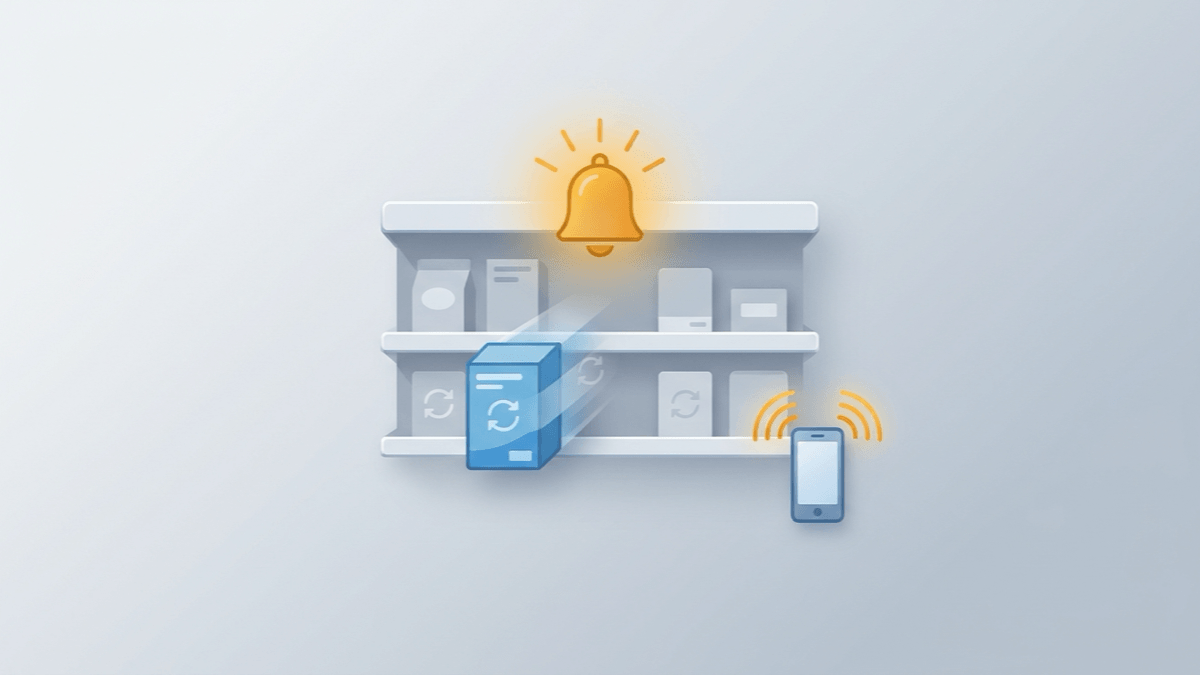
When Nvidia's RTX 5090 and 5080 launched, PCWorld reported that they were "almost impossible to actually order" at US online stores an hour after sales began, and that "every single one of the 47 different variations on Newegg's site is now sold out" (PCWorld(opens in a new tab), January 2025). That is the race you join when you wait for a restock. Back-in-stock alerts are how a shopper (not a store owner) stays in it without refreshing a product page all day. This guide covers why the store's own "notify me" button so often fails you, where restock apps and free page monitors fall short, and how to set up a back in stock notification on any shop, for the exact size you want, that reaches your phone.
What You'll Learn
- Why restocked items vanish within minutes, and why stock often comes back more than once
- What a store's "notify me" button actually promises, in the stores' own words
- Why restock apps and free page monitors leave gaps, and what to use instead
- How to set up a restock alert in AlarmBot, step by step, with the right alert rule
- What to have ready so an alert turns into an order
The short version: pick the element on the product page that says whether you can buy, such as the add-to-cart button or the availability line, and track it. Set a text rule like "Doesn't contain: sold out" and send the alert to Telegram or Discord on your phone. AlarmBot does this for free on any website, checking every 20 minutes, and fires a fresh alert every time stock returns.
Why Restocks Disappear So Fast
Hot products sell out in minutes to under an hour. Newegg's RTX 50-series listings were gone within the hour of launch. When the Nintendo Switch 2 opened for pre-order, AP reported that GameStop's listings "appeared to be unavailable within minutes", and GameStop said it would "continue to squash bot and duplicate orders to reopen inventory" (AP via ClickOnDetroit(opens in a new tab), April 2025).
Bots are a large part of why. Imperva's 2026 Bad Bot Report finds that bots account for "over 53% of all web traffic, with 40% classified as malicious" (Imperva / Thales(opens in a new tab)). On a popular product page, you are competing with software as well as with other shoppers.
The good news is that a restock is rarely a single moment. NowInStock's FAQ notes that "cancelled orders are re-entered into the system" and that inventory can float: "One second it shows in stock, the next it shows out of stock" (NowInStock FAQ(opens in a new tab)). HotStock's FAQ adds that "some retailers also choose to release stock in 'waves'" (HotStock FAQ(opens in a new tab)).
Takeaway: checking once won't catch a restock. Something has to keep watching after the first sell-out, so the returned unit or the second wave reaches you as well.
The Store's "Notify Me" Button — and Where It Stops
A store's back-in-stock button looks like the easy answer. Read the fine print first, because the stores themselves set out its limits.
- Target says: "Opting in to receive notifications doesn't reserve or guarantee item availability" and "Exclusions may apply for high demand or limited items." The feature also "doesn't apply to store inventory" (Target Help(opens in a new tab)). So the products people chase hardest are the ones that may have no button at all.
- Zara only alerts for sizes marked "Coming soon", and the request expires: "we will let you know if it is available again in the next 15 days. If it is not restocked within this period, the subscription will expire and you will have to re-register it. This process does not reserve the item." (Zara Help(opens in a new tab))
- Best Buy documents no restock alert on its store FAQ. It advises: "Make sure to check back early, and often, in case of a restock," and notes that "Call Center agents are not able to provide guidance on inventory levels" (Best Buy store FAQ(opens in a new tab)).
Each button also covers just one store. If the product is sold in three places, you need three sign-ups. Some will expire, and some stores won't offer a button at all.
Takeaway: a store button covers one store, on the store's terms. An alert you control covers every shop you care about, with no exclusions and no expiry.
Restock Apps Track Their List, Not Your Shop
Dedicated restock trackers watch a fixed set of retailers and products, and their own pages say what decides that set.
- NowInStock: "we track retailers that support the site via affiliate commissions" (NowInStock FAQ(opens in a new tab)). A shop that pays no commission isn't on the list.
- TrackaLacker describes itself as "primarily US-focused, with some trackers in CA and UK" (TrackaLacker(opens in a new tab), September 2026).
Free users can also be placed behind paying ones. TrackaLacker states that "notification delivery is prioritized: Ultra first, then Premium, then free users" (same page). HotStock's App Store listing says its paid tier "puts you first to receive alerts about new stock compared to free users" (App Store(opens in a new tab)).
A fixed list can only cover what's on it. If what you want sits at a boutique sneaker shop, a small publisher's web store or a shop in your own country, check the list before you count on it. And during a big restock, being a free user on a priority ladder means waiting while others are alerted first.
AlarmBot works differently. You choose the page and the element yourself, so any shop in any country can be covered. There is no alert queue, either: your own browser checks your track, and the alert goes straight to your channels.
Why Free Page Monitors Check So Rarely
General website monitors look like the answer for shops no restock app covers. The catch is how rarely they check on their free plans:
- Visualping Free: 5 pages, 150 checks a month, at most every 60 minutes. Its own pricing page says: "The monthly allowance supports checking all 5 pages about once a day" (Visualping pricing(opens in a new tab)).
- Distill Free: 5 cloud monitors, checked every 6 hours at most, with 1,000 cloud checks a month (Distill pricing(opens in a new tab)).
A once-a-day check can't catch a restock that sells out within the hour.
AlarmBot's free plan checks each track every 20 minutes. That is three times as often as Visualping's fastest free setting and 18 times as often as Distill's free cloud checks. It covers 20 tracks, with no monthly check allowance to run out. The 20-minute pace is deliberate. It keeps watching through the waves and stray units of a restock, and it keeps you clear of the rate limits, CAPTCHAs and IP blocks that come with hammering a shop. Ten products checked every minute would send 600 requests an hour from your IP to the same store.
Your Options at a Glance
| Option | What its own pages say | AlarmBot (free) |
|---|---|---|
| Store "notify me" button | Target: "Exclusions may apply for high demand or limited items". Zara: the request expires after 15 days | Any product on any website, with no expiry date |
| Restock apps | NowInStock: retailers "that support the site via affiliate commissions". TrackaLacker: "primarily US-focused". HotStock and TrackaLacker alert paid tiers first | Any shop you choose, with no alert queue |
| Free page monitors | Visualping: "about once a day" for 5 pages. Distill: cloud checks every 6 hours | Every 20 minutes, 20 tracks, no monthly check allowance |
Competitor details from each company's own pages, checked 25 October 2026.
How to Set Up a Back-in-Stock Alert in AlarmBot
Setup takes a few minutes per product. You need the AlarmBot Chrome extension and a free account (sign in with email or Google).
Step 1: Open the exact page you want to buy from
Go to the product page and select the size, colour or edition you want before you set anything up. AlarmBot saves the exact address you're on when you pick the element. If the shop includes the variant in the address bar, your track watches that variant.
Step 2: Pick the element that says whether you can buy
Click the AlarmBot icon, choose Start Selecting, and click the part of the page that shows availability. The extension shows the text it captured. Check it, then click Create Track.
Choose an element that appears on the page whether the item is in stock or not. Good choices:
- The buy button. "Sold out" turns into "Add to cart".
- The availability line. "Out of stock" turns into "In stock" or "Only 3 left".
- The size picker entry for your size, if its label changes when that size comes back.
A "Sold out" badge that disappears entirely when stock returns is a poor choice. AlarmBot reads that exact element on every check, so the element has to be there in both states to have something to compare.
Step 3: Set the check interval to every 20 minutes
The track form opens in your AlarmBot panel. New tracks check every hour by default, so open Check Interval and pick Every 20 Minutes, the fastest free setting. You can also use Add to List here to file it (for example, "Restocks") if you're watching several products.
Step 4: Choose an alert rule
On the same form, open Alert Rule. Without a rule, every change to the text sends an alert, which often works fine for a stock element. To be more precise, use one of the text conditions:
| Rule | Fires when the text… | Good for |
|---|---|---|
Doesn't contain: sold out | …changes to anything without "sold out" | Buy buttons that read "Sold out" |
Contains: add to cart | …changes to something that includes "add to cart" | Buy buttons |
Doesn't equal: Out of stock | …changes away from exactly "Out of stock" | Availability lines with fixed wording |
Text rules ignore upper and lower case, and Contains matches any part of the text. That's convenient, but watch out for one trap: "Not in stock" contains "in stock", so "Contains: in stock" would fire on it. For that reason, rules built around the sold-out wording (Doesn't contain) or the buy wording ("add to cart") are usually safer. The rule dialog tells you whether the current value already matches, so you can test the rule before saving it.
Alerts only fire when the text actually changes, so a rule never repeats itself every 20 minutes. It keeps working after the first alert, though. If the item sells out and returns again, you get a new alert.
Step 5: Send the alert to your phone
Restock alerts are only useful if you see them right away. In your panel's notification settings, connect Telegram or Discord. AlarmBot doesn't rate-limit either channel, so each restock alert is sent the moment it fires. For restocks, a good pair is Telegram plus browser push, or Telegram plus Discord.
Track the price too. Each track watches one element, so add a second track on the same page for the price. Your 20 free tracks leave room for both, and once the hype cools, the price drop alert tells you when it gets cheaper.
No Bots: The Alert Is Yours, and So Is the Purchase
HotStock's FAQ says high-demand stock "can sell out extremely fast (in seconds)" and that the problem is compounded by "auto-purchase bots, used by professional 'scalpers'" (HotStock FAQ(opens in a new tab)). AlarmBot is the opposite of a scalper bot. It never buys anything for you: it tells you the moment the item is back, and you buy it yourself.
And most restocks don't come with a countdown:
- Surprise restocks. A shop quietly puts units back on sale on an ordinary weekday.
- Your size reappearing. One size of a shoe or jacket comes back after a cancelled order.
- Second waves and stray units. Stock returns in waves, or a cancelled order puts one unit back.
- Pages that change before the buy button appears. A "Coming soon" label switches to a date, or a raffle page opens entries.
All of these come down to noticing a change on a page you care about, which is exactly what AlarmBot does, on any shop, in any country.
Be Ready When the Alert Lands
An alert gives you a head start, and these steps help you use it:
- Save your address and payment details in advance. HotStock's FAQ gives the same advice: "We recommend entering your address/payment details into retailer websites ahead of time" (HotStock FAQ(opens in a new tab)). Stay logged in to the shops you're watching.
- Check the cart, not just the page. NowInStock warns that a product page can say "in stock" while the cart says otherwise (NowInStock FAQ(opens in a new tab)). Add the item to your cart right away to see whether you actually got a unit.
- Refresh during a wave. If the first attempt fails, reload the page a few times. Stores that release stock in waves can put more units on sale after the first batch is gone.
- Keep Chrome running. AlarmBot checks your tracked pages from your own browser, with your login, country and store settings, so it sees each shop the way you do. Your tracks are stored in your account, so any computer signed in to it (work laptop or home PC) shares the checking. The same track and history are there on each one, and they never double-check the same track.
- Watch more than one store. Track the same product at two or three shops. AlarmBot reads the page itself, so a regional retailer works the same way as a global marketplace. See how tracking any website works.
Common Questions
Why did my store's notify-me email arrive after the item sold out again?
A store notification doesn't hold the item for you. Target and Zara both say so on their help pages, and hot products can sell out within minutes. An email also sits in an inbox until you open it. For restocks, an alert you control that goes to Telegram or Discord on your phone gives you more of a head start.
Can I get a back-in-stock alert for one specific size?
Yes. Select your size on the product page first, then track the element that shows its availability, such as the buy button or the size's own label. If the shop puts the size in the page address, your AlarmBot track keeps it.
Is there a free back in stock notification for any website?
Yes. AlarmBot is free and works on any website: you click the element that shows availability, and it alerts you when that text changes. The free plan covers 20 tracks checked every 20 minutes, with alerts by browser push, email, Telegram or Discord.
How often does AlarmBot check for a restock?
As often as every 20 minutes on the free plan, with no monthly check limit. New tracks start at hourly checks, so set the interval to "Every 20 Minutes" when you create the track.
Which alert rule should I use for stock?
"Doesn't contain: sold out" and "Contains: add to cart" both work well on a buy button. Avoid "Contains: in stock" when the page might say "Not in stock", because that text also contains "in stock".
Will AlarmBot buy the item for me?
No. AlarmBot is an alert, not a checkout bot. It tells you when the item is back, and you complete the purchase yourself in your own browser.
Let the Page Tell You
A restock always shows up on the product page first. What decides whether you catch it is whether something is watching that page when it happens. Pick the element that says whether you can buy, set a rule that fires on the change you care about, and send it to your phone. Stock that comes back in a second wave, in one size or at a small shop on the other side of the world then reaches you too.
Brand, retailer and product names in this article are the trademarks of their respective owners and are used for identification and commentary only. AlarmBot is not affiliated with, endorsed by or sponsored by any company named.